

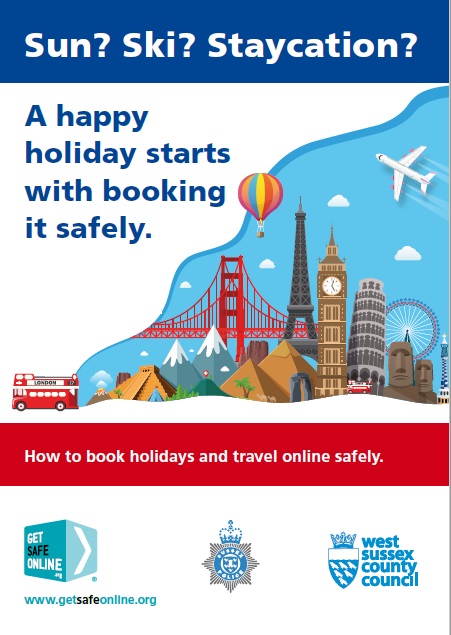
Top tips to help you search for an find an online holiday safely.
Get Safe Online
West Sussex County Council in partnership with GetSafeOnline.org have launched this a campaign to help you protect your self against becoming a victim of holiday and travel scams.
Please take a moment to look at the excellent tips below and lets all keep safe online.
You can click the image opposite to view a poster, or click the button below to visit the getsafeonline.org website.
Sun? Ski? Stacation. Read our safety advice before you book
The internet is by far the most popular place to research and book holidays and travel, offering fantastic choice, convenience and value. Unfortunately, however, fraudsters are always there in the shadows trying to scam you with holidays, accommodation and travel that don’t actually exist.
They use fake websites, listings, emails, advertisements, social media posts, texts and phone calls to lure you in, exploiting your desire for an annual family holiday or short break … whether it’s in Barbados or Bournemouth. And at the moment, they’re still taking advantage of the fact it’s been a long time since many of us had a holiday, making us even more desperate to get away.
To help you avoid the financial losses and disappointment that can result from falling victim, we’ve put together some expert tips on searching and booking holidays and travel with confidence.
Please read them before you next book a holiday online.
Don’t overshare
You may like to share the good
times with all your contacts, but
take a moment to think about what and why you’re sharing, whose hands it could fall into and how it might affect others.
Do some mobile housekeeping
If you and your mobile are
inseparable, it’s a good idea to
review what apps you have loaded, and delete those you haven’t used for six months. Check privacy and location settings on all your apps, as well as your device and camera. Make sure your mobile devices are protected with a passcode, and download a reputable security app.
Get secure
Take some time to check that your passwords are difficult to guess or crack, stored securely and apply to only one account. Make sure the software, apps and operating systems on all your devices are updated when prompted, or better still set this to happen automatically. Check that you have up-to-date, high quality internet security software (antivirus/antispyware) on all your devices, including mobiles.
Keep your payments secure
When you’re making online payments for purchases, services or money transfers,
make sure they’re via a secure web page or authorised app. Being asked to pay for something – whether it’s goods, a holiday or travel, concert tickets or anything else could be a sign that you’re being defrauded.
Protect yourself from fraud
To safeguard yourself from online fraud, think twice before opening email attachments, or clicking on links in unexpected emails, texts and social media
posts. Learn how to spot bogus emails, texts and posts. Don’t provide any more information than is absolutely necessary. And remember that online, not everyone is who they may appear to be. If in doubt, call the organisation or person the
communication claims to be from, on the number you know to be correct.
Behave respectfully
Voice your opinions,
beliefs, and agreement or
disagreement with others
in a balanced, objective,
tolerant way. This will earn you wider respect than out-and-out attacking speech, or blindly following or spreading what others say. Treat others as you’d like to be treated yourself. There’s no place online – or anywhere else – for abuse on grounds of race, colour, gender, sexual orientation, appearance or beliefs.
Gaming
When you’re gaming, avoid oversharing, griefing, in-game overspending and pirated games. Keep track of how much time you’re spending online. Keep an eye on your kids’ gaming, check on PEGI age limits for the games they’re playing and talk to them about who they’re or playing and chatting with.
Pre-owned mobile devices
Oversharing
and app privacy settings.
Out & about
Wi-Fi hotspots in cafés, pubs, hotels, on public transport and other public places may not be secure. Or they could be fake, set up by a fraudster. So don’t use them if you’re doing anything confidential online.
Protect your devices from theft, loss and prying eyes.
Video calls
Many of us will be catching up with family and friends via video call. Make sure it’s safe and secure by using a service that needs a strong password, and don’t share the call invitation or details outside the person or group on the call.
Protecting your children
Talk to your children about safe and responsible internet use, including what they share, who they’re talking to and the type
of content they access, including apps and games. Consider downloading a respected parental control app and using ISP content filters. Make sure your children aren’t running up bills in games and other apps.